Astrophotography Is More Than Taking a Photograph
A single finished image may represent several clear nights, hours of integration time, careful equipment setup, troubleshooting, calibration, stacking, processing, and sometimes months of waiting for the right conditions.
We invest a tremendous amount of time collecting photons. But after the imaging session ends, much of that valuable data disappears into folders spread across computers, external hard drives, SD cards, and NAS systems.
That gap is the problem AstroVault was created to address.
The Missing Part of the Astrophotography Workflow
Astrophotographers already have excellent tools for capture and processing. We can control equipment, guide telescopes, stack exposures, and turn raw data into a finished image. Yet there is still a gap between capturing the data and preserving the complete project.
A few months after an imaging session, it can be difficult to remember which telescope and camera were used, how much integration time was collected, which filters are missing, whether the target was completed, and where the final processed image was saved.
The problem
The files may be safely stored, but the story behind them is easily lost.
AstroVault is intended to provide a place where an astrophotographer can see the entire journey of a target – from the first captured subframe to the final processed image and, eventually, publication.
Giving Astronomical Files Some Context
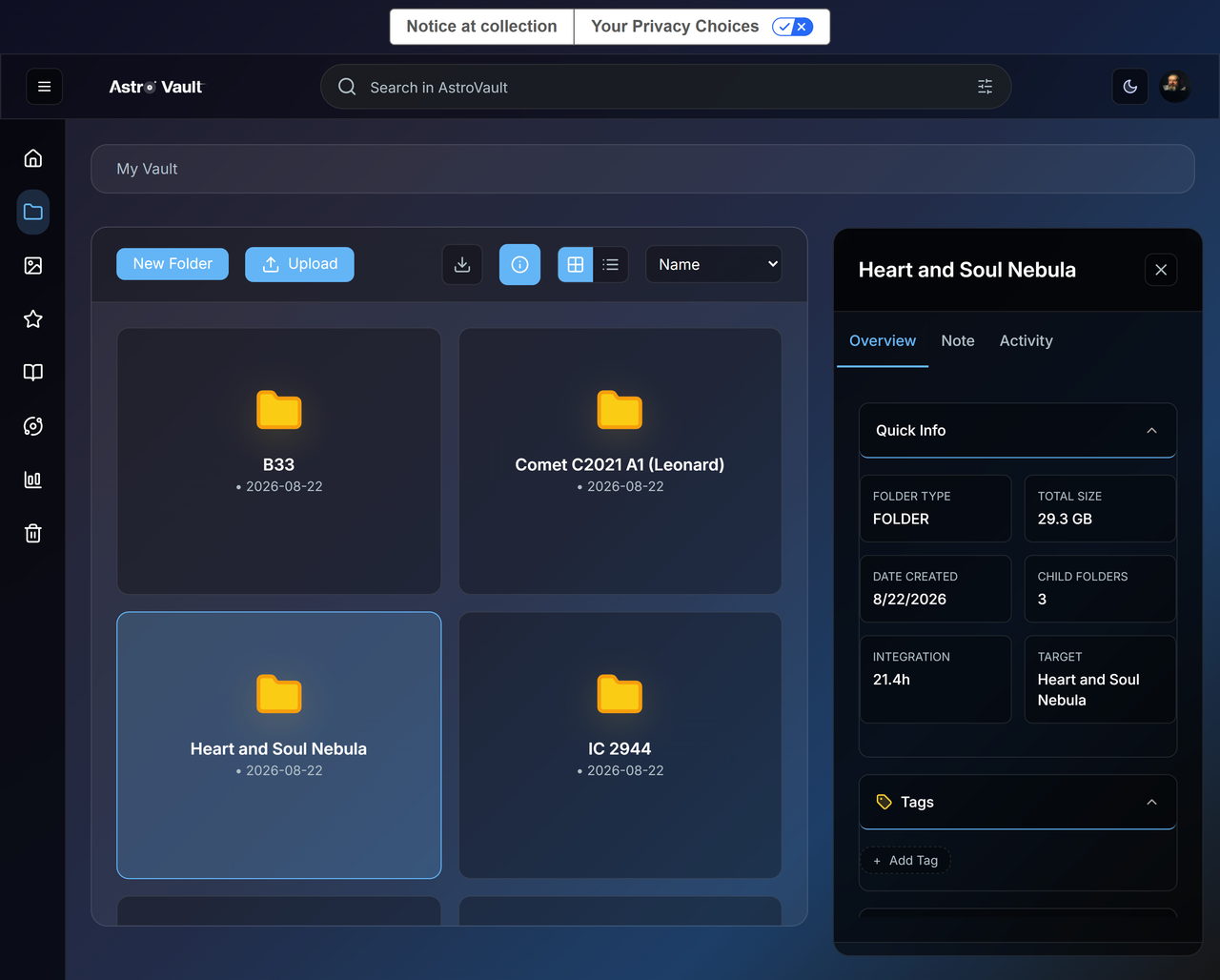
My Vault is the main library for organizing astronomical data. Instead of treating FITS and XISF files as anonymous objects in generic storage, it groups them around targets, sessions, and projects that make sense to an astrophotographer.
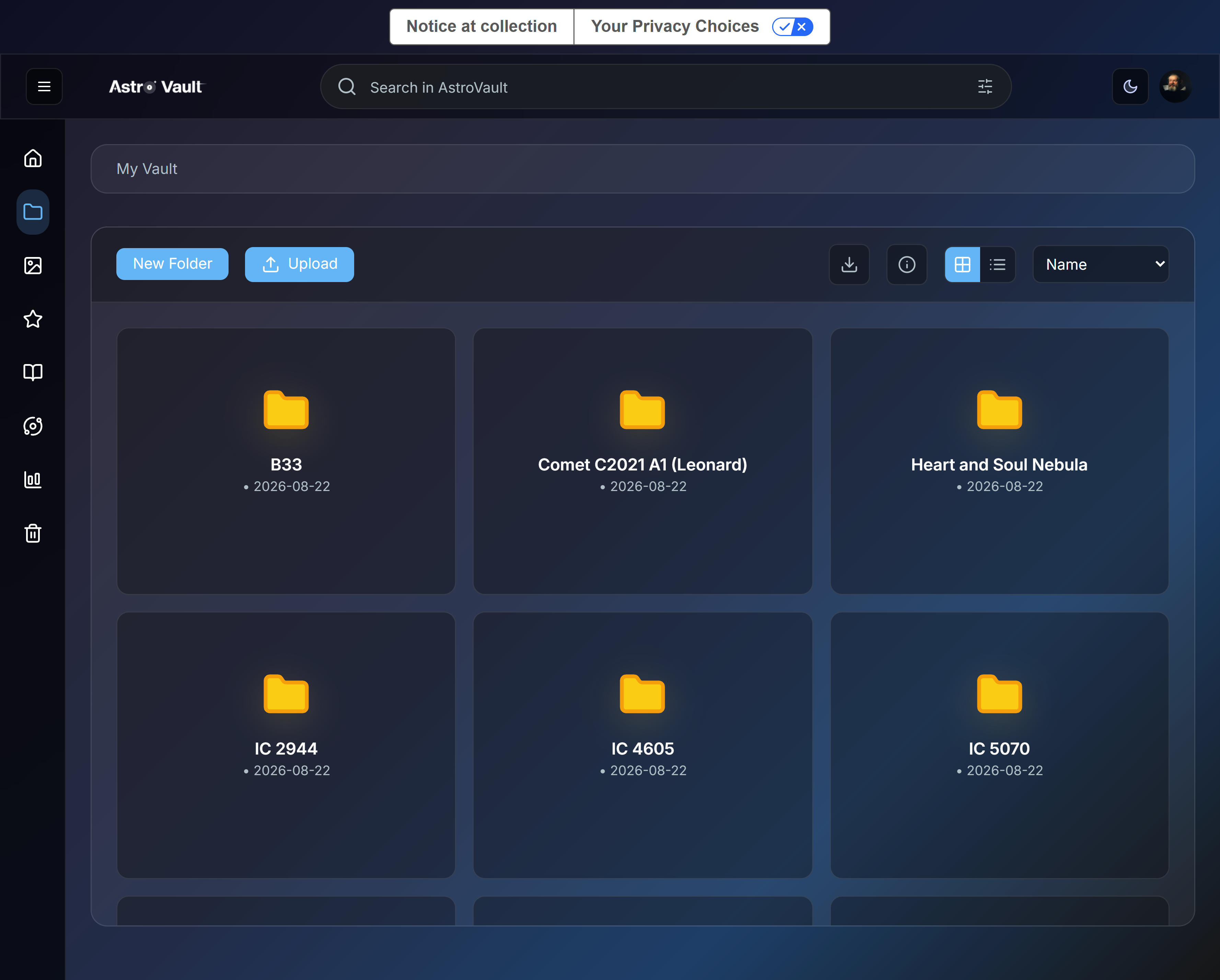
Folders can carry context such as the target, integration time, notes, tags, child folders, and activity. That information makes an old project understandable years later without asking the photographer to reconstruct it from filenames and memory.
Where a NAS Fits
Whenever cloud storage is discussed in the astrophotography community, NAS systems are often strongly defended – and for good reason. A NAS offers local control, large capacity, fast access, and independence from a recurring cloud-storage plan. For photographers with multi-terabyte archives, it is difficult to beat on storage cost alone.
AstroVault is not built to tell people to throw away their NAS. A NAS is primarily a storage system. It can hold FITS files, but it does not automatically understand that those files belong to a particular target, were captured with specific equipment and filters, contain a certain amount of integration time, or are part of a project that still needs more data.
A simple way to explain the difference
A NAS is an excellent digital cabinet. AstroVault is designed to become the workspace around that cabinet.
Local storage and AstroVault do not need to be competing philosophies. Photographers should be able to keep the storage model they trust while gaining the organization, planning, inspection, and project history that are specific to astrophotography.
The Fear of Cloud Storage and AI Is Understandable
Many photographers are understandably cautious about online platforms. They worry that images could be analyzed, used for AI training, or included in datasets without meaningful permission. That concern should not be dismissed.
Astrophotography images represent a photographer’s time, equipment, observing conditions, processing knowledge, and creative decisions. AstroVault’s goal is to give photographers control over their work and to be transparent about how uploaded data is processed. Privacy should not depend on vague promises; users should be able to understand how their files are handled and what choices they have.
The longer-term architecture matters as much as the wording. Supporting user-owned and local storage can let photographers decide where original data lives while AstroVault provides the astrophotography-specific tools around it.
What AstroVault Actually Does
AstroVault is not intended to be another generic folder system with an astronomy-themed logo. It is being built around the way astrophotographers inspect data, plan nights, track projects, and preserve the history behind a finished image.
Inspect FITS and XISF Files in a Browser
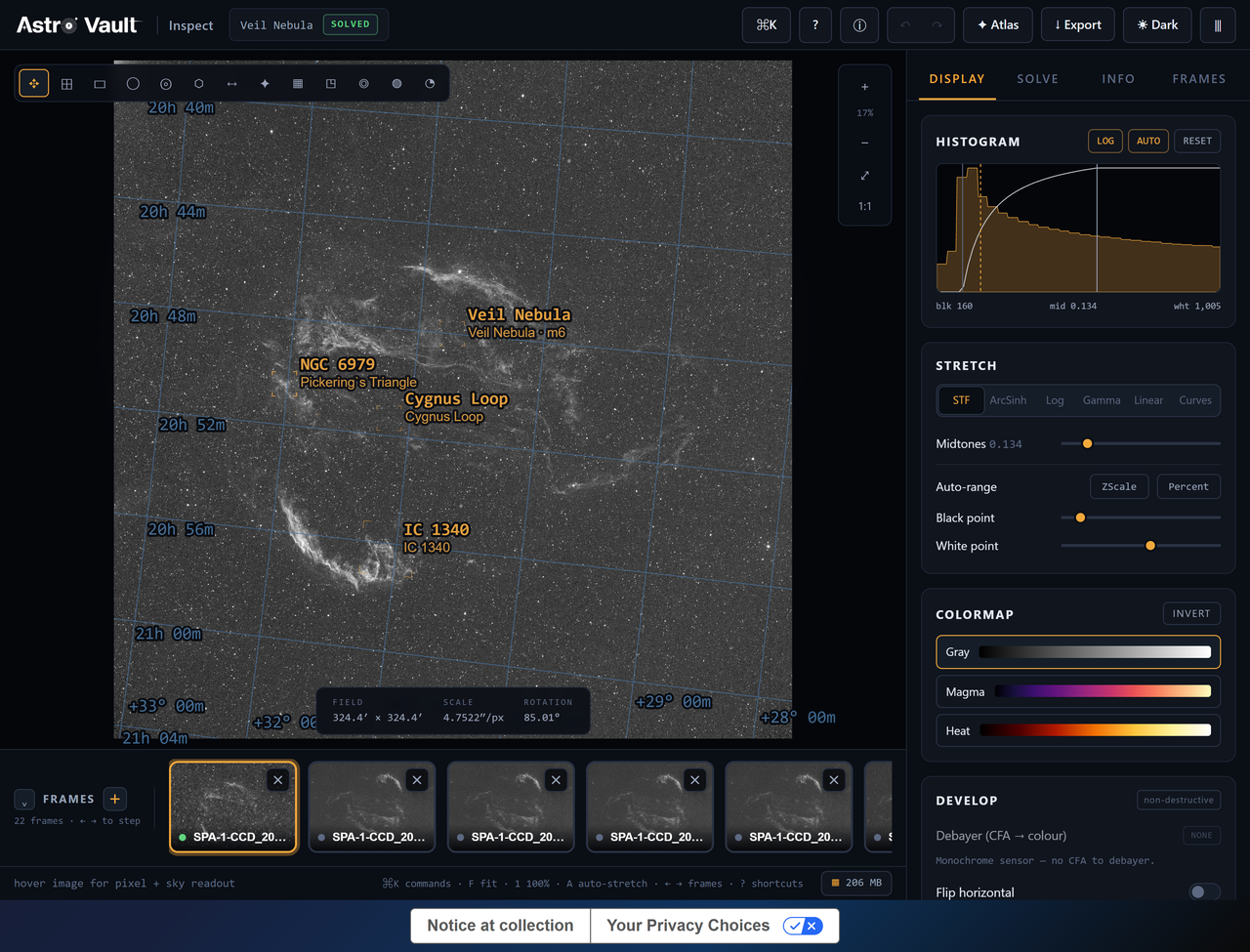
AstroVault Inspect allows astronomical files to be opened directly in the browser. Photographers can stretch and zoom an image, review a histogram, use astronomical overlays, move between frames, and inspect useful metadata without first downloading the original file to another computer.
The goal is not to replace PixInsight, Siril, or other serious processing applications. Those tools remain the right place for advanced processing. AstroVault is intended to support the work around them: reviewing what was captured, comparing frames, organizing the project, and preserving the connection between source data and the final result.
Plan the Next Clear Night with Meridian
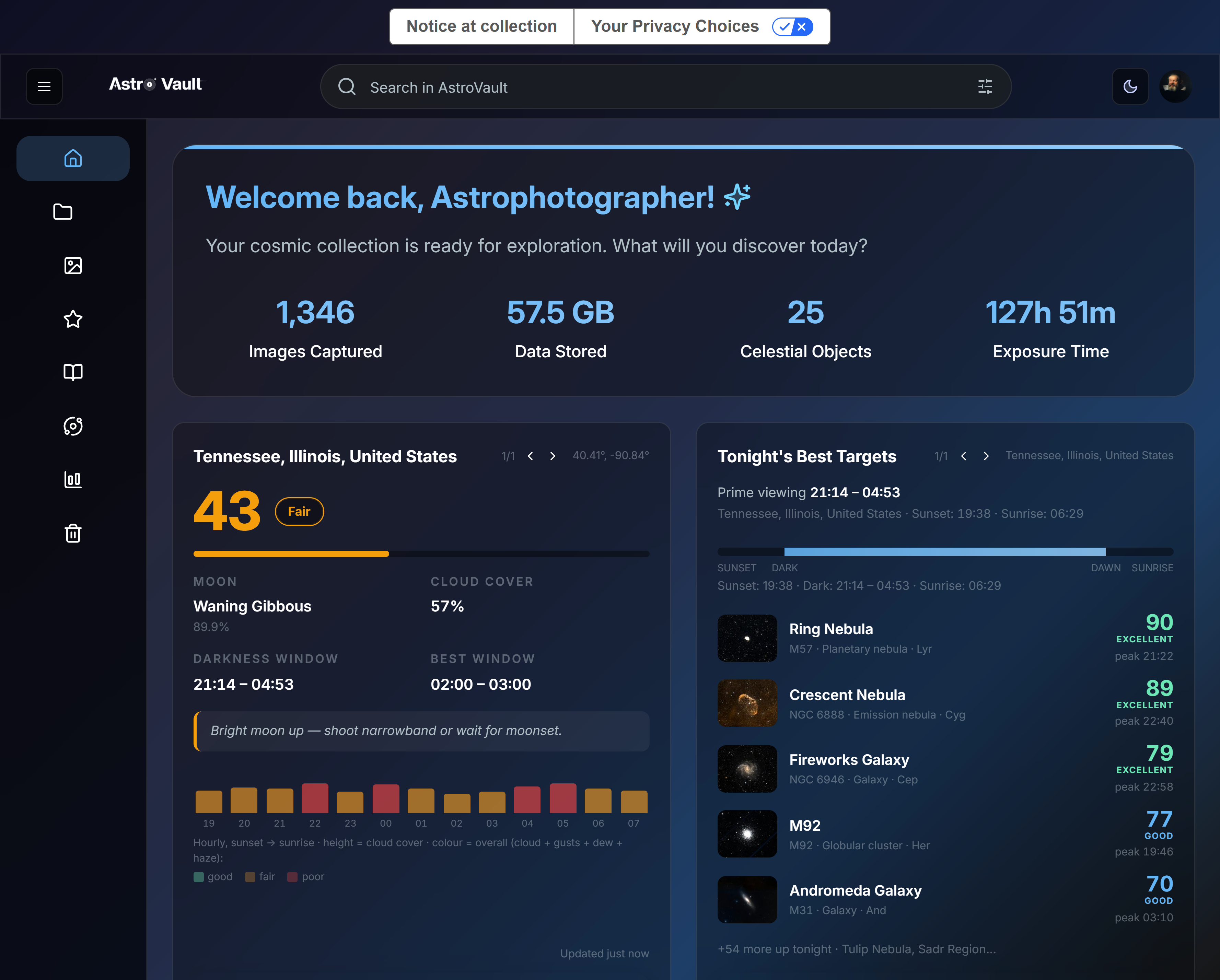
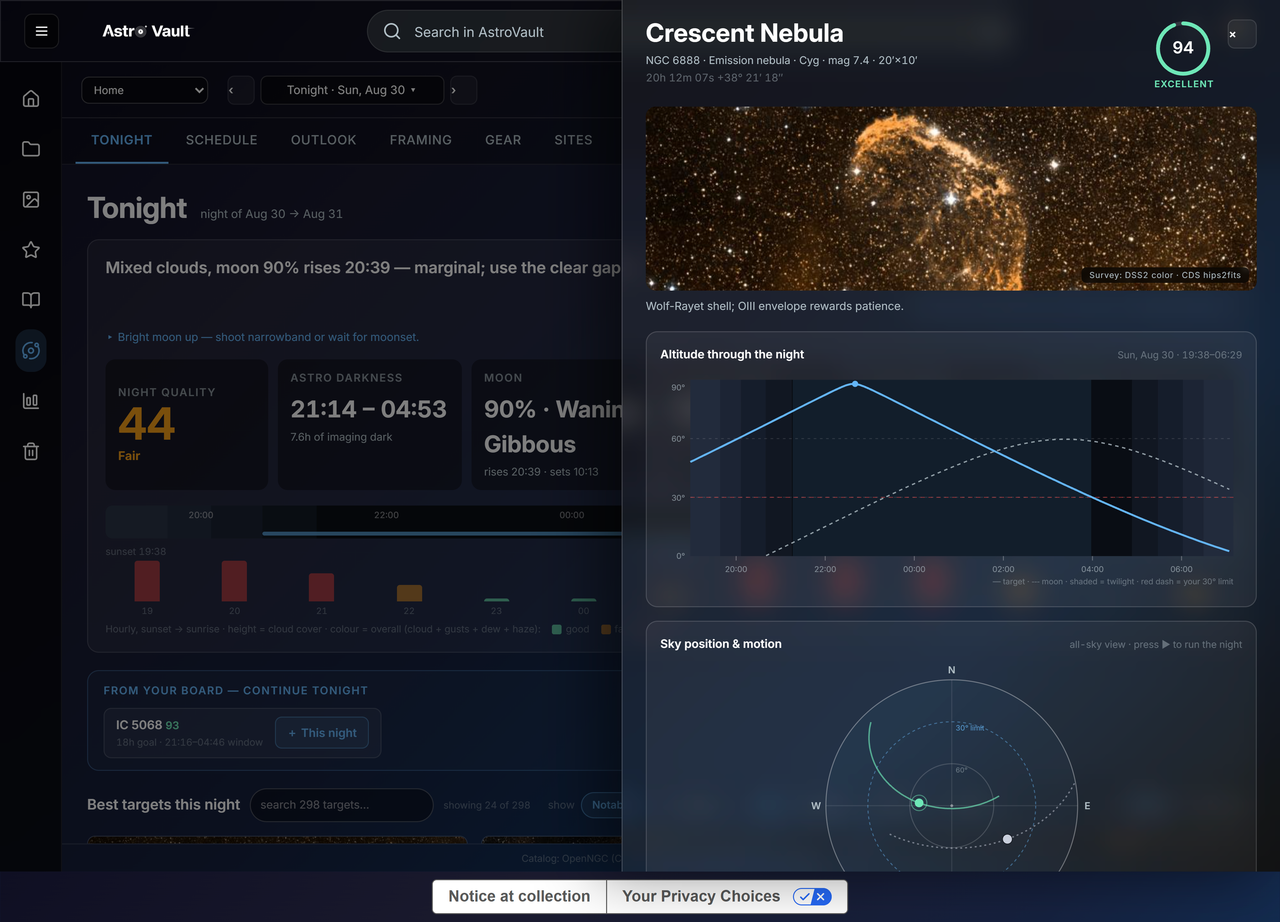
An astrophotography project often spans several nights or even several seasons. Knowing that a target needs another four hours of data is useful only if we can also determine when the target will be well placed again.
Meridian connects night quality, Moon conditions, darkness, target altitude, sky position, and observing windows. The longer-term goal is to connect that planning information directly to what each active project still needs.
Track Targets with AstroBoard
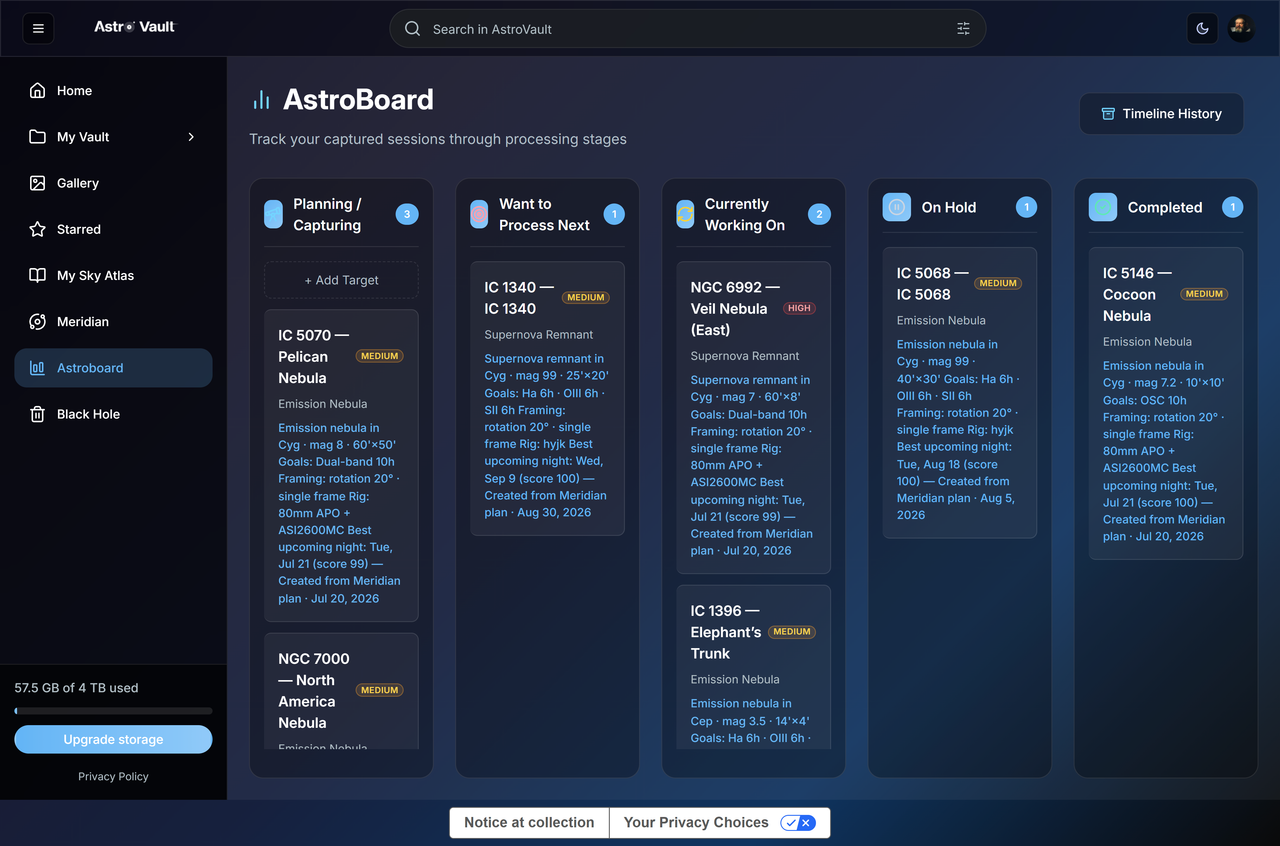
Many of us have several unfinished projects at the same time. One target may need more hydrogen-alpha data, another may be waiting for a moonless night, and a third may already be captured but still waiting to be processed.
AstroBoard provides a visual place to track those projects. Targets can move through stages such as Planning and Capturing, Want to Process Next, Currently Working On, On Hold, and Completed. The files matter, but the history and current state of the project matter too.
Upload Automatically from N.I.N.A.
For photographers using N.I.N.A., the optional AstroVault plugin can upload a frame after N.I.N.A. saves it. Instead of manually copying an entire night’s data the following morning, the session can appear in AstroVault while the telescope is still capturing, while the original local files remain available on the imaging computer.
Storage Is Only the First Layer
AstroVault’s roadmap recognizes that no single storage model will suit every astrophotographer. Some people want managed cloud storage and access from anywhere. Others already have a large NAS, use user-controlled object storage, or want original data to remain local.
One direction being explored for the second phase is Bring Your Own Storage. Under that model, photographers could keep original files in infrastructure they choose while AstroVault provides the intelligence and workflow layer above it: metadata, previews, search, project context, integration tracking, planning, and archive navigation.
Roadmap, not a current feature
Bring Your Own Storage is a direction being explored for phase two. It should not be read as functionality already available today.
A desktop component is also part of that direction for photographers who prefer a local-first workflow. Cloud, NAS, and desktop workflows can serve different parts of the same system rather than competing for a single winner.
From Capture to Publication
The long-term vision is to preserve the full lifetime of an astrophotography project. A final image should not become disconnected from the hundreds of subframes, nights of capture, equipment choices, integration time, processing attempts, and notes that produced it.
CAPTURE | INSPECT | ORGANIZE | PLAN | PROCESS | PRESERVE | PUBLISH
If an image is reprocessed two years later, that history should still exist. Future publishing and sharing tools could extend the same project record to galleries, websites, and social platforms. The goal is not simply to store tonight’s files; it is to preserve an astrophotographer’s body of work over many years.
Built with the Community, Not Just for It
AstroVault is still growing, and that is intentional.
The platform is intended to develop around real astrophotographers, real equipment, large archives, multiple rigs, remote observatories, and the workflows people already trust – rather than around assumptions alone.
Early users have already helped identify problems, improve the experience, and suggest features that could make AstroVault more useful. The aim is not to tell the community that its existing workflow is wrong. It is to offer another option – one that understands astrophotography files and helps preserve the work behind them.
The central idea
Our images deserve more than a forgotten folde. They deserve a home designed for the people who captured them.
Visit: vault.astrospherehub.com